首页 文章 精选 留言 我的

精选列表

搜索[service],共10000篇文章
优秀的个人博客,低调大师

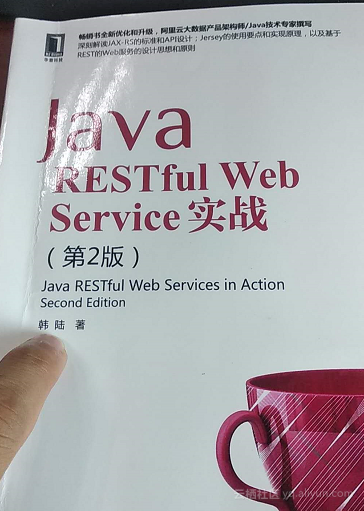
《Java RESTful Web Service实战》第一章的实现补漏

韩陆,你好你的书,麻烦写的清楚一点,多写一些,也许还能多点稿费。小韩,写书认真一点。第13页上来就用maven命令行创建项目,这就有问题啊,没有pom.xml文件mvn这个命令怎么跑的起来呢?所以正确的过程是这样的:eclipse上创建项目创建的结果是这样的:创建过程,先创建一个maven项目 然后archetypes选择书中指出的jersey-quickstart-grizzly2创建项目之后,实际上会报错默认情况下eclipse创建出来的pom.xml文件中提供的jersey-version的版本是1.20但实际上mavenrepository上提供的最新版也就是1.19.4,所以修改一下正常情况下,创建项目完毕,我们测试一下:首先当然是参考书中的命令行方式,用curl这个命令去执行,这需要首先下载配置curlhttps://curl.haxx.se/windows/配置环境变量现在都准备好了我们先看看这个项目的内容,它都自动帮我们生成了什么:MyResource.java package my.restfulwork.jerseyone; import javax.ws.rs.GET; import javax.ws.rs.Path; import javax.ws.rs.Produces; // The Java class will be hosted at the URI path "/myresource" @Path("/myresource") public class MyResource { // TODO: update the class to suit your needs // The Java method will process HTTP GET requests @GET // The Java method will produce content identified by the MIME Media // type "text/plain" @Produces("text/plain") public String getIt() { return "Got it!"; } } Main.java package my.restfulwork.jerseyone; import com.sun.jersey.api.container.grizzly2.GrizzlyServerFactory; import com.sun.jersey.api.core.PackagesResourceConfig; import com.sun.jersey.api.core.ResourceConfig; import org.glassfish.grizzly.http.server.HttpServer; import javax.ws.rs.core.UriBuilder; import java.io.IOException; import java.net.URI; public class Main { private static int getPort(int defaultPort) { //grab port from environment, otherwise fall back to default port 9998 String httpPort = System.getProperty("jersey.test.port"); if (null != httpPort) { try { return Integer.parseInt(httpPort); } catch (NumberFormatException e) { } } return defaultPort; } private static URI getBaseURI() { return UriBuilder.fromUri("http://localhost/").port(getPort(9998)).build(); } public static final URI BASE_URI = getBaseURI(); protected static HttpServer startServer() throws IOException { ResourceConfig resourceConfig = new PackagesResourceConfig("my.restfulwork.jerseyone"); System.out.println("Starting grizzly2..."); return GrizzlyServerFactory.createHttpServer(BASE_URI, resourceConfig); } public static void main(String[] args) throws IOException { // Grizzly 2 initialization HttpServer httpServer = startServer(); System.out.println(String.format("Jersey app started with WADL available at " + "%sapplication.wadl\nHit enter to stop it...", BASE_URI)); System.in.read(); httpServer.stop(); } } MainTest.java package my.restfulwork.jerseyone; import org.glassfish.grizzly.http.server.HttpServer; import com.sun.jersey.core.header.MediaTypes; import com.sun.jersey.api.client.Client; import com.sun.jersey.api.client.WebResource; import junit.framework.TestCase; public class MainTest extends TestCase { private HttpServer httpServer; private WebResource r; public MainTest(String testName) { super(testName); } @Override protected void setUp() throws Exception { super.setUp(); //start the Grizzly2 web container httpServer = Main.startServer(); // create the client Client c = Client.create(); r = c.resource(Main.BASE_URI); } @Override protected void tearDown() throws Exception { super.tearDown(); httpServer.stop(); } /** * Test to see that the message "Got it!" is sent in the response. */ public void testMyResource() { String responseMsg = r.path("myresource").get(String.class); assertEquals("Got it!", responseMsg); } /** * Test if a WADL document is available at the relative path * "application.wadl". */ public void testApplicationWadl() { String serviceWadl = r.path("application.wadl"). accept(MediaTypes.WADL).get(String.class); assertTrue(serviceWadl.length() > 0); } } 上述三个文件是项目自己生成的java代码我们运行Main.javaconsole中的信息如下所示: 我们使用cmd客户端,执行命令行语句:执行结果,和书中写的一样。

资源下载

更多资源
腾讯云软件源

腾讯云软件源

为解决软件依赖安装时官方源访问速度慢的问题,腾讯云为一些软件搭建了缓存服务。您可以通过使用腾讯云软件源站来提升依赖包的安装速度。为了方便用户自由搭建服务架构,目前腾讯云软件源站支持公网访问和内网访问。

Spring

Spring

Spring框架(Spring Framework)是由Rod Johnson于2002年提出的开源Java企业级应用框架,旨在通过使用JavaBean替代传统EJB实现方式降低企业级编程开发的复杂性。该框架基于简单性、可测试性和松耦合性设计理念,提供核心容器、应用上下文、数据访问集成等模块,支持整合Hibernate、Struts等第三方框架,其适用范围不仅限于服务器端开发,绝大多数Java应用均可从中受益。

Rocky Linux

Rocky Linux

Rocky Linux(中文名:洛基)是由Gregory Kurtzer于2020年12月发起的企业级Linux发行版,作为CentOS稳定版停止维护后与RHEL(Red Hat Enterprise Linux)完全兼容的开源替代方案,由社区拥有并管理,支持x86_64、aarch64等架构。其通过重新编译RHEL源代码提供长期稳定性,采用模块化包装和SELinux安全架构,默认包含GNOME桌面环境及XFS文件系统,支持十年生命周期更新。

Sublime Text

Sublime Text

Sublime Text具有漂亮的用户界面和强大的功能,例如代码缩略图,Python的插件,代码段等。还可自定义键绑定,菜单和工具栏。Sublime Text 的主要功能包括:拼写检查,书签,完整的 Python API , Goto 功能,即时项目切换,多选择,多窗口等等。Sublime Text 是一个跨平台的编辑器,同时支持Windows、Linux、Mac OS X等操作系统。

用户登录
用户注册