ArcGIS API for JavaScript 标注错位问题解决思路
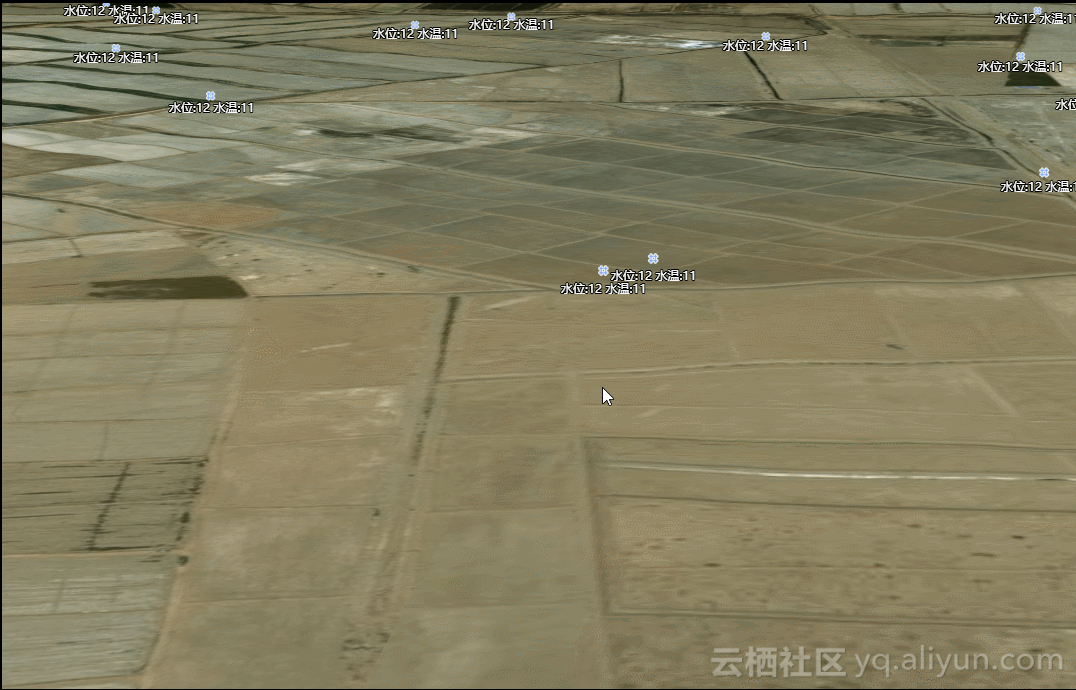
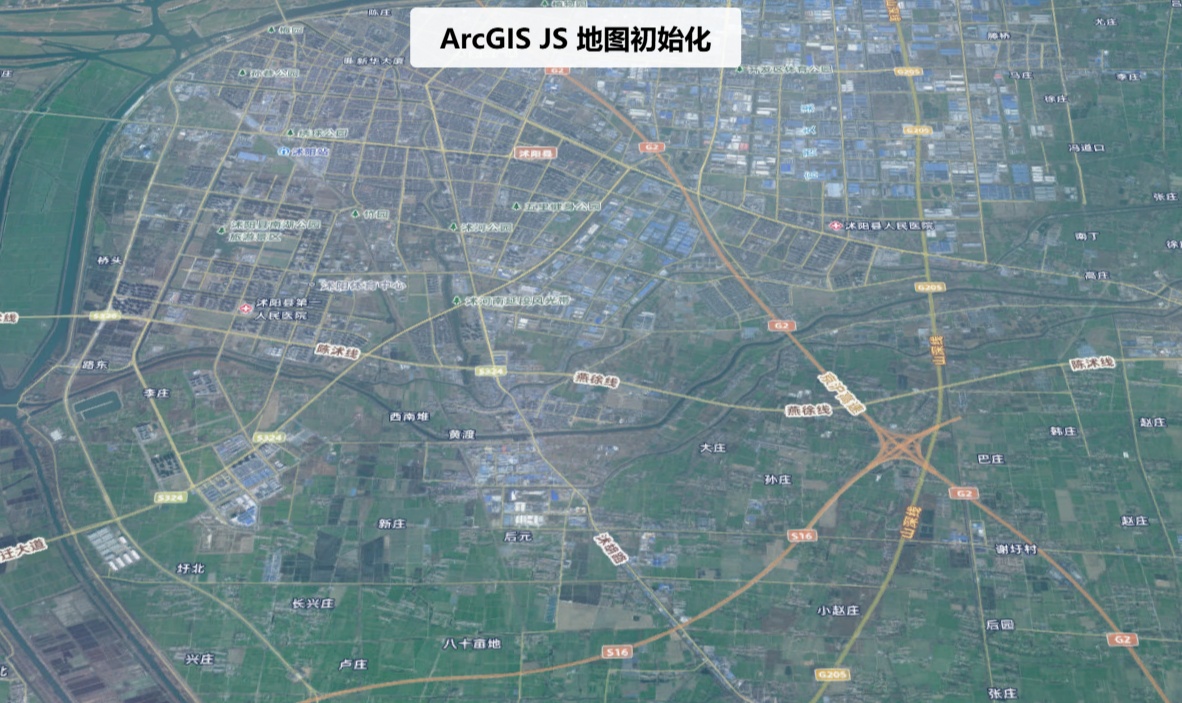
项目需求:完成对点的符号化显示,并将点的某些信息显示在点符号的旁边。 设计 调研开始,展示数据前端一般用GraphicsLayer,再结合Graphic,PictureMarkerSymbol与TextSymbol就可以完成此工作。直接上代码 jidianjing_graphicsLayer: null, jidianjing_text_featureLayer: null, ... this.graphicsLayer = new GraphicsLayer({ id: "graphicsLayer", elevationInfo: { mode: "relative-to-ground", offset: 3 } }); ... view.map.add(this.graphicsLayer); ... let jidianjing_graphics = []; // 处理Graphics $.each(result, function (i, item) { item.widgetModule = 'jidianjingWidgetModule_click'; var stcd = item.STCD; var stnm = item.STNM; let tempPoint = new Point({ type: "point", x: item.LGTD, y: item.LTTD }); let normalsymbol = { type: "picture-marker", url: 'img/menu/081.png', width: "18px", height: "18px" }; if (!StringUtil.isNull(item.WARN_NAME)) { normalsymbol = { type: "picture-marker", url: 'img/menu/083.png', width: "28px", height: "28px" }; } else if (!StringUtil.isNull(item.LL)) { normalsymbol = { type: "picture-marker", url: 'img/menu/082.png', width: "28px", height: "28px" }; } let tempPop = new PopupTemplate({ title: '机电井:' + stnm, content: _self.setjidianjingContentInfo }); let tempGraphic = new Graphic({ geometry: tempPoint, attributes: item, symbol: normalsymbol, popupTemplate: tempPop }); let textGraphic = new Graphic({ geometry: tempPoint, symbol: new TextSymbol({ color: "#FFF", backgroundColor: new Color('red'), borderLineColor: new Color("#fff"), borderLineSize: 2, haloColor: "black", haloSize: "1px", text: '水位:12 水温:11', font: { size: 8, family: "sans-serif" } }) }); _self.jidianjing_graphicsLayer.add(tempGraphic); _self.jidianjing_text_graphicsLayer.add(textGraphic); ... 效果 说明gif图太大,aliyun拒绝了我的上传,所以只能用文字描述;在小比例尺下,符号标注和文字标注之间的距离较小,看着效果还可以,但是有会出现标注覆盖文字或者文字覆盖标注;随着比例尺的放大,符号和标注之间的距离会增大,如第二张图所示。但是拿给项目经理看的时候,不要这种效果,距离和标注与符号之间的距离不能变。so...改改改 新思路-构造FeatureLayer 查看了官网好多例子,发现只有FeatureLayer的标注和符号之间的距离是边的,因为我们拿到的数据是点数据,所以我们可以构造组成FeatureLayer的source,其实就对应ags里的Graphics;还有一个标注LabelClass,这个类就是用来显示标注的。so...又开干了。 jidianjing_featureLayer: null, ... let tempGraphics = []; // 处理Graphics $.each(result, function (i, item) { item.widgetModule = 'jidianjingWidgetModule_click'; var stcd = item.STCD; var stnm = item.STNM; let tempPoint = new Point({ type: "point", x: item.LGTD, y: item.LTTD }); let normalsymbol = { type: "picture-marker", url: 'img/menu/081.png', width: "18px", height: "18px" }; if (!StringUtil.isNull(item.WARN_NAME)) { normalsymbol = { type: "picture-marker", url: 'img/menu/083.png', width: "28px", height: "28px" }; } else if (!StringUtil.isNull(item.LL)) { normalsymbol = { type: "picture-marker", url: 'img/menu/082.png', width: "28px", height: "28px" }; } let tempPop = new PopupTemplate({ title: '机电井:' + stnm, content: _self.setjidianjingContentInfo }); let tempGraphic = new Graphic({ geometry: tempPoint, attributes: item, symbol: normalsymbol, popupTemplate: tempPop }); let textGraphic = new Graphic({ geometry: tempPoint, symbol: new TextSymbol({ color: "#FFF", backgroundColor: new Color('red'), borderLineColor: new Color("#fff"), borderLineSize: 2, haloColor: "black", haloSize: "1px", text: '水位:12 水温:11', font: { size: 8, family: "sans-serif" } }) }); tempGraphics.push(tempGraphic); ... // popup let tempPop = new PopupTemplate({ title: '机电井:' + '{STNM}', content: _self.setjidianjingContentInfo }); // 标注 var labelClass = new LabelClass({ minScale: 20000, symbol: { type: "label-3d", symbolLayers: [{ type: "text", material: { color: "white" }, size: 10, halo: { color: [0, 0, 0, 0.8], size: 0.5 } }], verticalOffset:{ minWorldLength: 20, } }, labelPlacement: "above-center", labelExpression: "水位:[STTP], 水温:[STCD]" // labelExpressionInfo: { // expression: "$feature.STNM" // } }); // 构建feetureLayer并实现标注 this.jidianjing_text_featureLayer = new FeatureLayer({ id: 'jidianjing_featureLayer', fields: [{ name: "STCD", alias: "STCD", type: "oid" }, { name: "LGTD", alias: "LGTD", type: "string" }, { name: "LTTD", alias: "LTTD", type: "string" }, { name: "STCD", alias: "STCD", type: "string" }, { name: "STNM", alias: "STNM", type: "string" }, { name: "STTP", alias: "STTP", type: "string" }, { name: "widgetModule", alias: "widgetModule", type: "string" }], objectIdField: "STCD", geometryType: "point", spatialReference: { wkid: 4326 }, source: tempGraphics, // an array of graphics with geometry and attributes // popupTemplate and symbol are not required in each graphic // since those are handled with the popupTemplate and // renderer properties of the layer popupTemplate: tempPop, // renderer: iconSymbolRenderer, maxScale: 0, minScale: 0, labelsVisible: true, labelingInfo: [labelClass] }); view.map.add(this.jidianjing_text_featureLayer); 效果 说明 可以在上面两张图中看到,标注和符号的位置一直都是固定的,并没有随着距离的变化而变化;这时候拿给项目经理,就这个效果还算满意。 总结 符号和标注之间的距离在GraphicsLayer和FeatureLayer中的表现是不一样的,所以要根据合适的场景进行选择取舍。另外,GraphicsLayer和FeatureLayer标注换行不能实现,对GraphicsLayer可以采用加多个TextSymbol的GraphicsLayer,设置GraphicsLayer相对地面的高度就可以实现,但是距离永远是个问题,在此给一些朋友一些提醒。