先了解怎么设计一款编辑器,做下铺垫,参考 facebook draft-js 的介绍视频 (Draft.js was introduced at React.js Conf in February 2016.)[1],文章讲了做一款编辑器为什么不直接使用 contenteditable,但又不能完全抛弃 contenteditable 的原因。
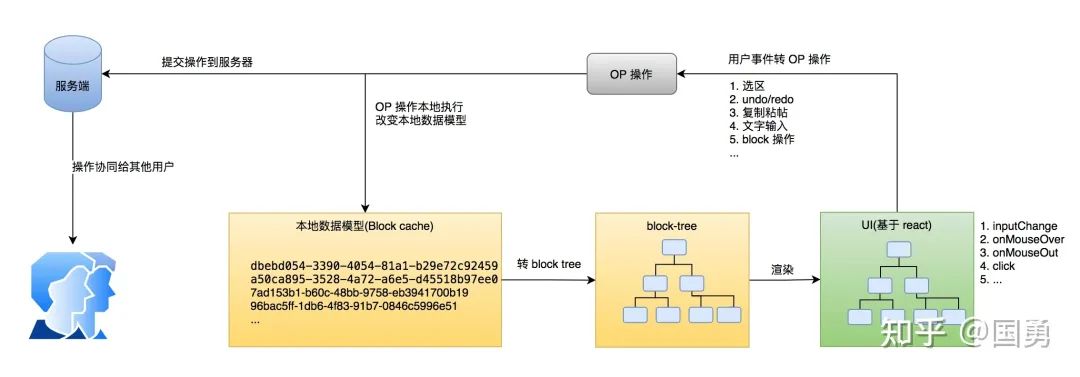
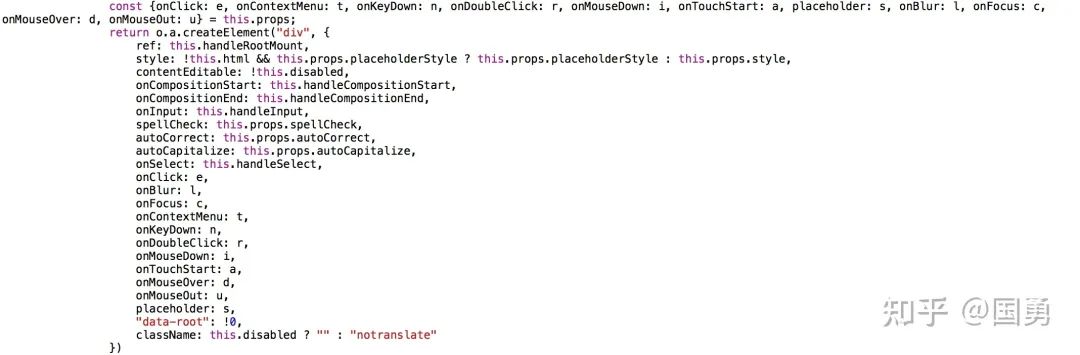
文章所指的主要原因是 contenteditable 中 DOM = State ,这里的 State 指存储用户输入的内容,为 html 格式;从用户操作发起到数据修改整个过程都由浏览器控制,但是各浏览器存在实现差异,造成 State 的结果不一致,兼容性问题多。contenteditable 又有很多原生能力,速度快且支持所有的浏览器、如光标与选区、输入法事件等;ipad 下 contenteditable 也提供较多有意思的能力,如左右分栏时可直接从其它应用拖动文字到 contenteditable 中。最终 draft-js 通过自定义 State,抛弃掉原生提供的 html 形式的 State,通过 contenteditable 提供的能力负责文字排版与用户事件接收,定义一套 op(Operation) 来修改 State ,同时把数据模型通过 react 渲染到 html 中,达到 controlled contenteditable。
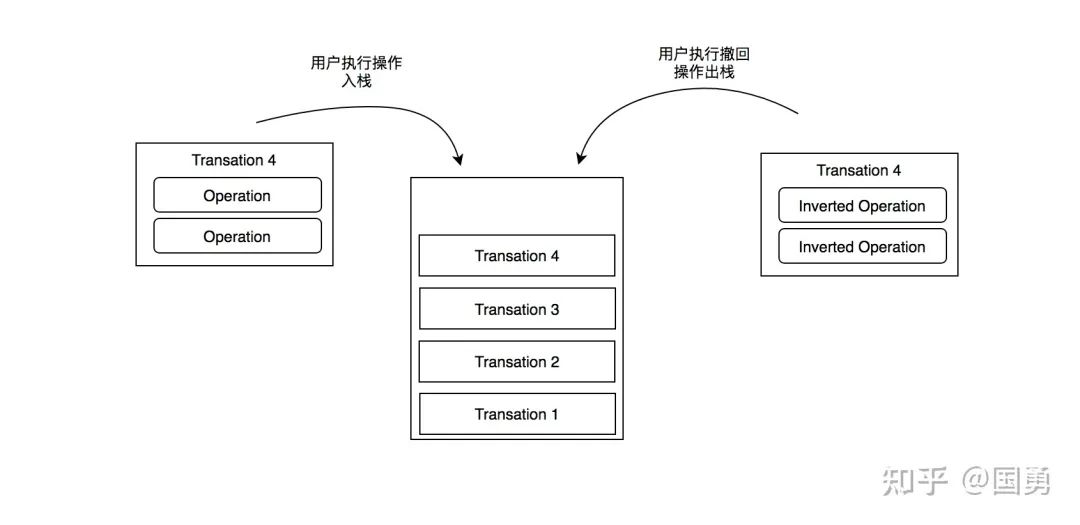
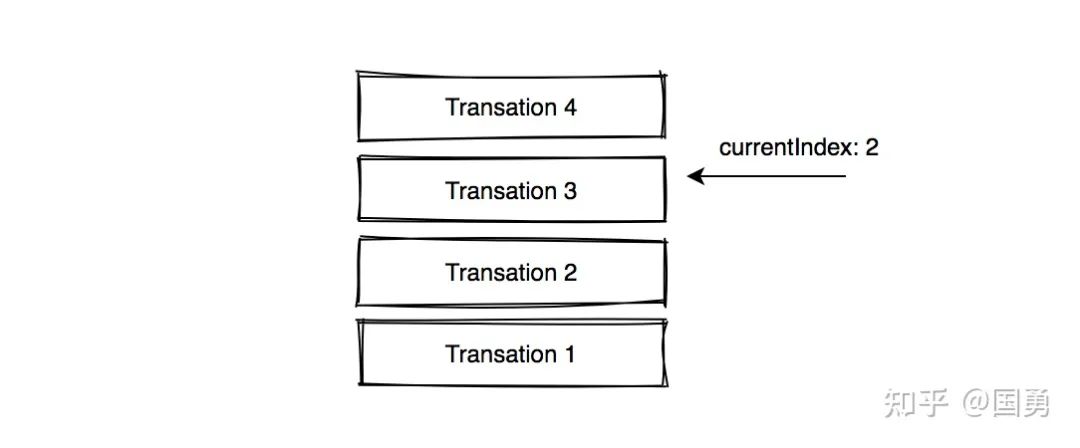
上面讲过,针对数据层的修改叫做 op,而多个 op 组合在一起叫 Transation。要做 undo 时就简单了,undo/redo 本身就是一个记录栈,每次把操作往栈里放,当用户 ctrl+z 撤销操作时,则从栈顶取出一个操作,并找出反操作执行就可。
执行一次 op 的过程分成几步:
创建 Transation t 对象
把 op 添加到 t.operations 数组中
算出当前 op 的反操作,添加到 t.invertedOperations 数组中,供后续撤回使用
以下就是相关代码
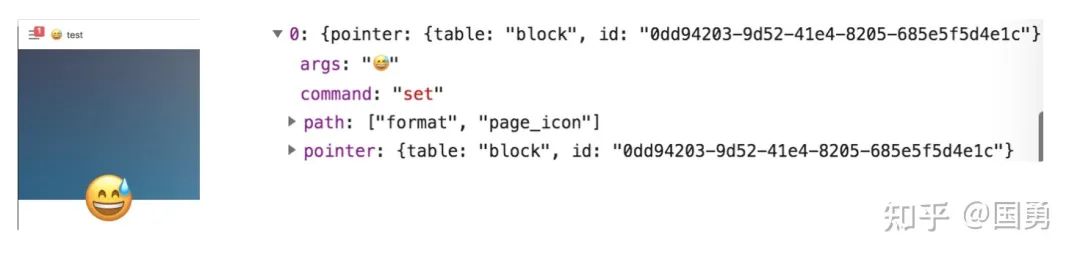
不过这里怎么取 op 的反操作有意思,比如当用户输入完文字后,会把当前用户输入的值当成 set 操作的参数来执行修改数据模型的值 ,同时也会把当前内存中的 block text 算出一个反操作(因为此时数据模型中的值还没有更新),并记录起来。所以反操作是在生成操作时就算出来了,而不是等着用户触发撤回再算,因为执行操作前的状态就是执行完操作后再撤回的状态,这时算就有足够的信息。
如一个 block text 的原先值为 "hello",当用户输入了一个空格,则新的值为 "hello ",会得到以下两个操作:
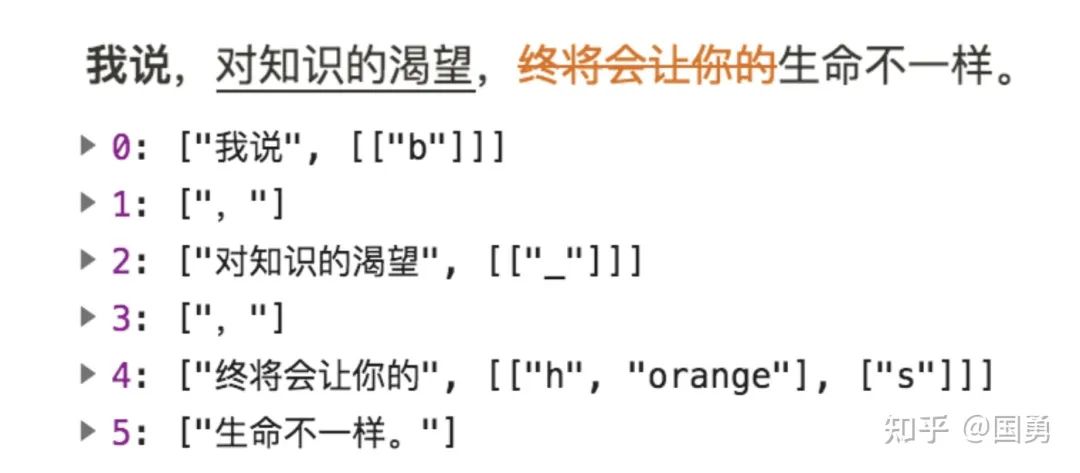
上面一段话,被拆分成了多个文字区间,并最终存储在 block 里的 title 属性里,每个区间由文字加属性组成,文字中有加粗、下划线、颜色等不同属性,区间按文字的先后顺序形成了的数组,同时组合在一起就代表整句话,如上面「我说」通过 b 来描述他是粗体;「终将会让你的」区间有两个属性,通过 h 来标识颜色为 orange,通过 s 来代表文字有下划线。
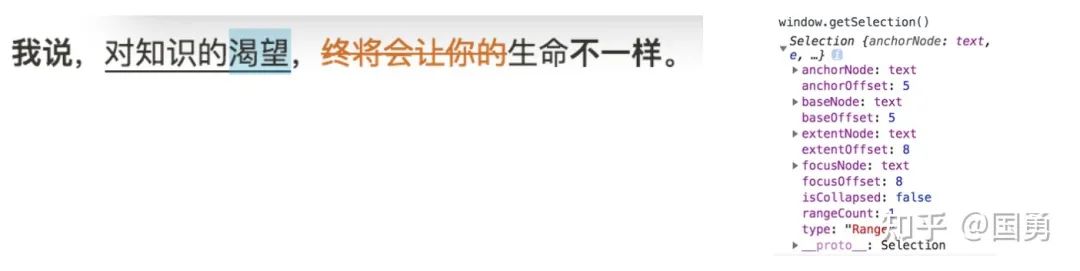
const We = function(e, t, n) { const r = we(e), o = [], a = [], s = []; let l = 0; for (const c of r) { const e = G(c), r = le(c), d = i.a.toArray(e), u = l, p = l + d.length; if (p <= t) o.push(c); elseif (u >= n) a.push(c); elseif (u >= t && p <= n) s.push(c); // 整个区间命中 elseif (u <= t && p >= n) { // 右半区间命中 const e = t - u, i = e + n - t, l = d.slice(0, e), c = d.slice(e, i), p = d.slice(i); l.length > 0 && o.push(_e(l.join(""), r)), p.length > 0 && a.push(_e(p.join(""), r)), c.length > 0 && s.push(_e(c.join(""), r)) } elseif (u >= t && u < n) { // 左半区间命中 const e = n - u, t = d.slice(0, e), o = d.slice(e); o.length > 0 && a.push(_e(o.join(""), r)), t.length > 0 && s.push(_e(t.join(""), r)) } elseif (u < t && p > t) { const e = t - u, n = d.slice(0, e), i = d.slice(e); n.length > 0 && o.push(_e(n.join(""), r)), i.length > 0 && s.push(_e(i.join(""), r)) } l = p } return { tokensBeforeRange: He(o), tokensInsideRange: He(s), tokensAfterRange: He(a) } }
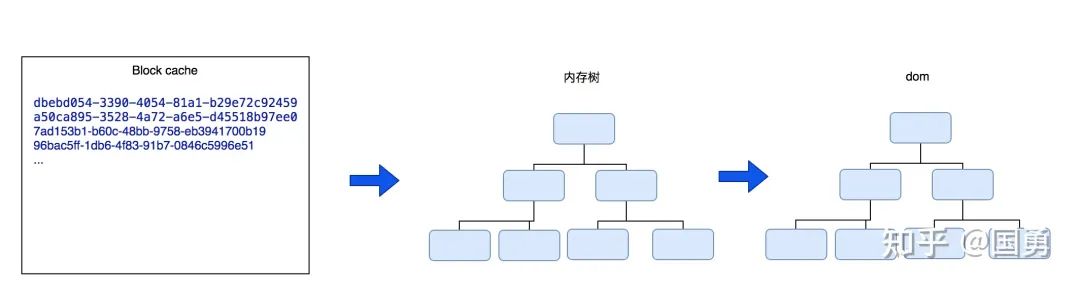
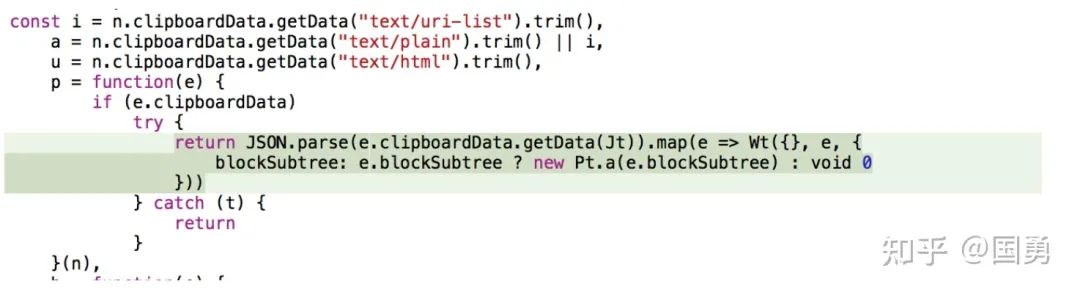
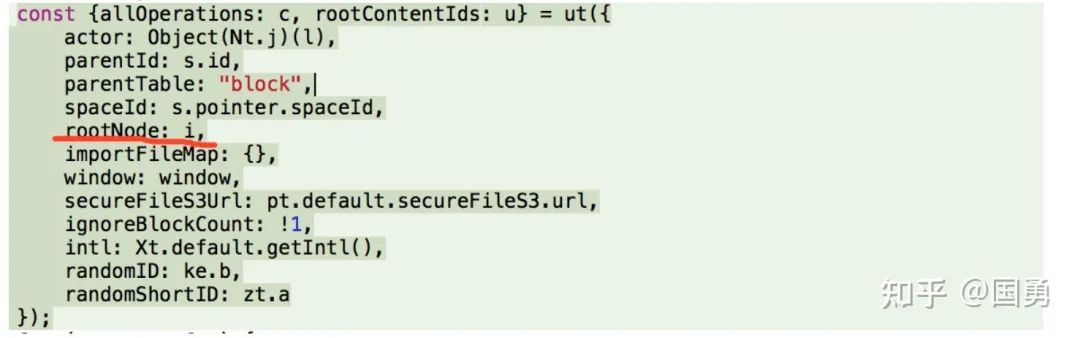
剪切版里的数据本来就有 html 格式的,html 会先渲染到离屏的 dom 对象中,notion 会分别递归迭代并解析这些 html 的节点,然后通过遍历这棵 dom tree,把 dom node 转成 notion block 节点的 op 操作。
if (a && a instanceof u.Element) { const t = a.tagName.toLowerCase(); // html h1 标签 if ("h1" === t) return [Ve({actor: n,parentId: r, parentTable: o, spaceId: i, node: a,...)]; // html h2 标签 if ("h2" === t) return [Ve({actor: n,parentId: r, parentTable: o, spaceId: i, node: a,...)]; ... if ("details" === t) return [Je({actor: n,parentId: r, parentTable: o, spaceId: i, node: a,...)]; // 表格 if ("table" === t) { const e = [], t = Array.from(a.querySelectorAll("tr")).filter(e => e.closest("table") === a); for (const n of t) { const t = [], r = Array.from(n.querySelectorAll("td, th")).filter(e => e.closest("tr") === n); for (const e of r) { const n = (e.textContent || "").trim(); t.push({ text: n, textValue: Re({ node: e, window: u, stripText: !1 }) }) } e.push(t) } return0 === s.a.flattenDeep(e).length ? [] : [Ne({actor: n,parentId: r, parentTable: o, spaceId: i, node: a,...)]; } // div if ("div" === t && a.hasAttribute(_e[l.a.columnList])) return [Qe({actor: n,parentId: r, parentTable: o, spaceId: i, node: a,...)];
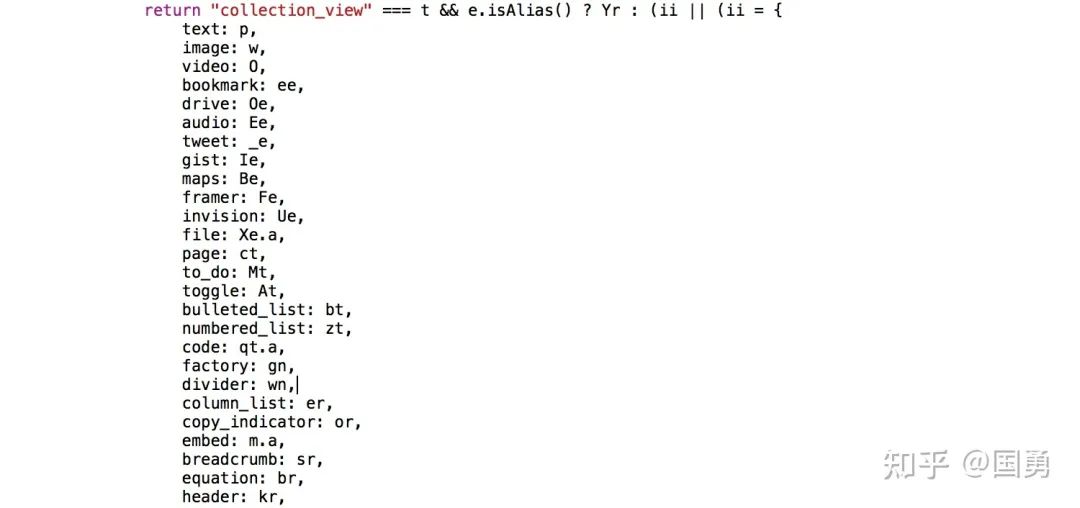
上面就是每个 dom node 对 notion op 的解析流程,根据 node tag 类型有不同的 block 解析器。
functionVe(e) { const {actor: t, parentId: n, parentTable: r, spaceId: o, node: i, type: a, allOperations: s, window: l, ignoreBlockCount: c, stripText: u, randomID: p} = e, // 创建一个新的 block id h = p(), m = {id: h, version: 0, type: a, // dom 节点的值当成 block title 属性 properties: { title: Re({ node: i, window: l, stripText: u }) }, parent_id: n, parent_table: r, space_id: o, created_by_table: t.table, created_by_id: t.value.id, created_time: Date.now(), last_edited_by_table: t.table, last_edited_by_id: t.value.id, last_edited_time: Date.now(), alive: !0, ignore_block_count: !!c || void0 }; // 给新的 block 设置值,生成新 op return s.push({ pointer: { table: d.b, id: h, spaceId: o }, command: "set",path: [],args: m }), h }
上面代码为其中一个 div 节点转 op 的过程,op 是创建一个 block,dom 里面的值会当成 block 的参数。
office 原理都一致,只是解析格式不一样,就不细看了。
总结
notion 在产品能力上很优秀,打破了传统的笔记软件固化思维,与其说提供给用户的是一套笔记工具,而不如说是一套设计笔记软件的系统。但通过 block 能力的增强,能力更多了,可以用来做日常工作管理,团队 wiki 等。
Nacos /nɑ:kəʊs/ 是 Dynamic Naming and Configuration Service 的首字母简称,一个易于构建 AI Agent 应用的动态服务发现、配置管理和AI智能体管理平台。Nacos 致力于帮助您发现、配置和管理微服务及AI智能体应用。Nacos 提供了一组简单易用的特性集,帮助您快速实现动态服务发现、服务配置、服务元数据、流量管理。Nacos 帮助您更敏捷和容易地构建、交付和管理微服务平台。
Sublime Text具有漂亮的用户界面和强大的功能,例如代码缩略图,Python的插件,代码段等。还可自定义键绑定,菜单和工具栏。Sublime Text 的主要功能包括:拼写检查,书签,完整的 Python API , Goto 功能,即时项目切换,多选择,多窗口等等。Sublime Text 是一个跨平台的编辑器,同时支持Windows、Linux、Mac OS X等操作系统。